top of page

How To Use Listifyx Crosslist Tool
1. Download the Crosslist Tool Chrome Extension from the Chrome Web Store.
2. Pin the Crosslist Tool Chrome Extension for easy access
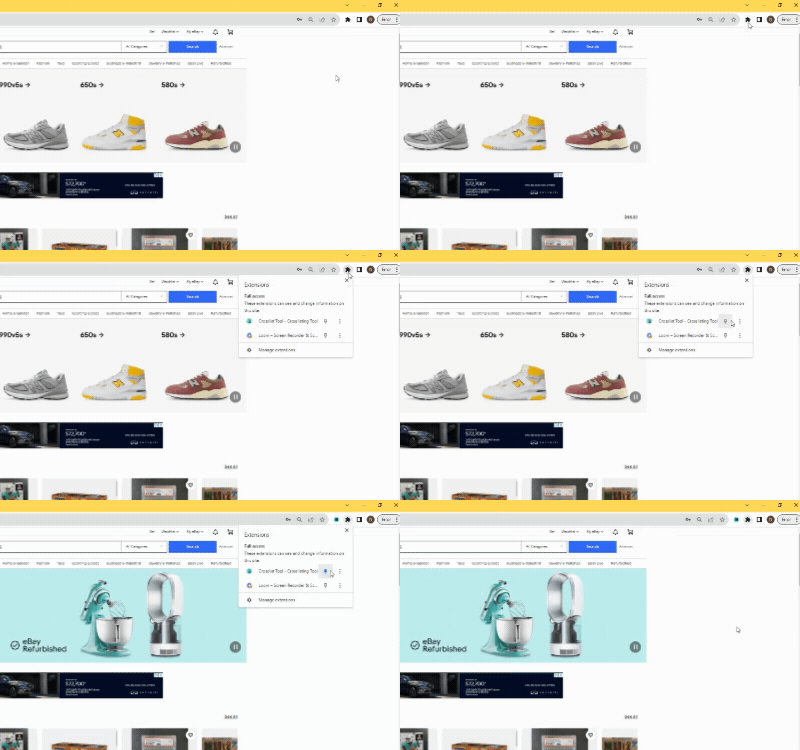
4. Go to any marketplace (ex. eBay) click on a listing you want to crosslist and click the extension icon in the top right.
5. Select the marketplaces you want to crosslist to.
6. Click the "GO!" button and it'll start crosslisting!
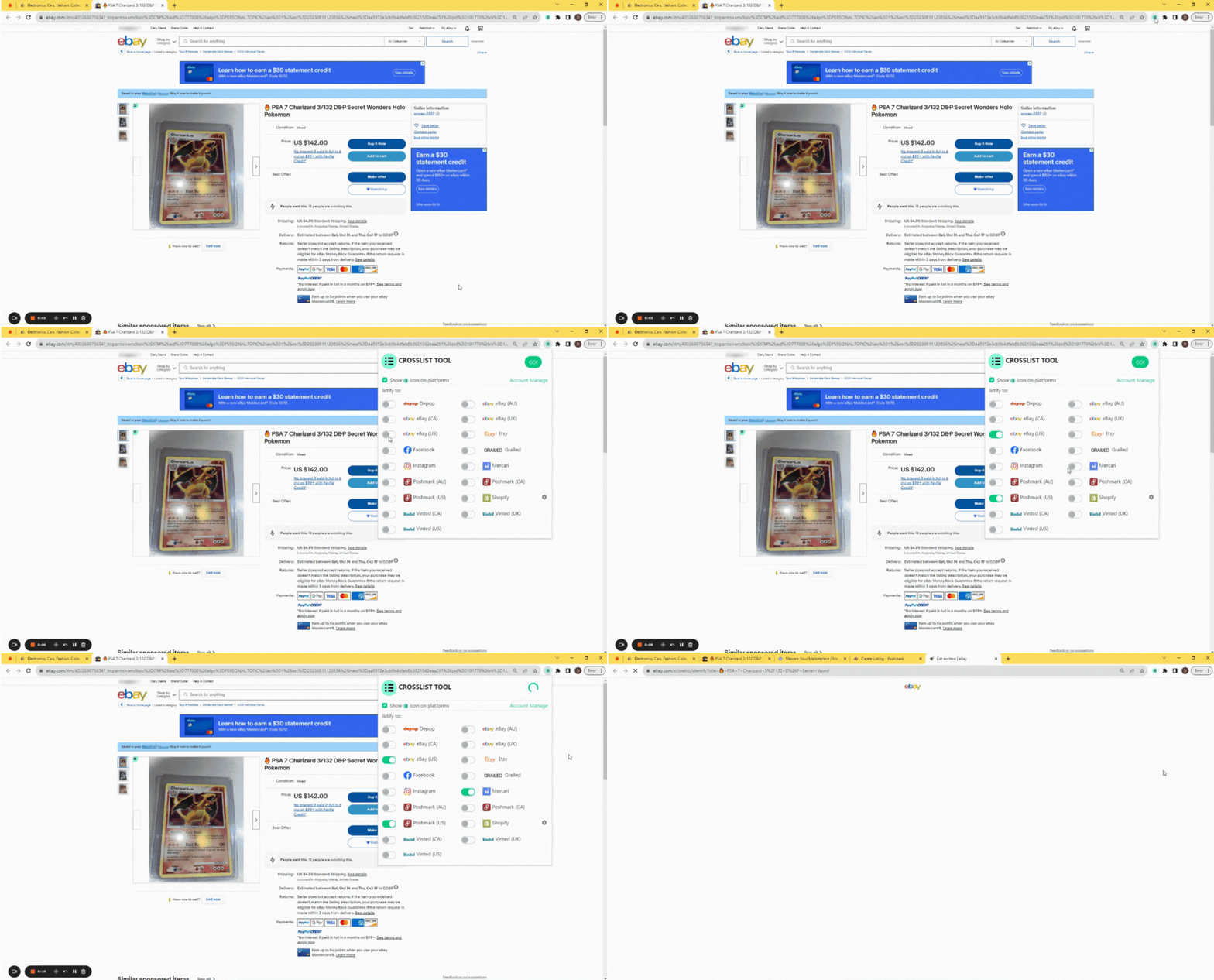
Note: Listifyx works differently than List Perfectly and other crosslisting tools, with Listifyx you have to be on the actual listing/marketplace (ex. ebay.com) for it to work. You don't need to come back to listifyx.com other than to log in.
If you can't click the "GO!" crosslist button the issue might be that you aren't on a listing, to crosslist you have to be on the actual listing page, here is an example of an actual listing page on poshmark: https://poshmark.com/listing/Jordan-1-University-Gold-6479230524237a69d6be638c
How To Use Listifyx Poshmark Bot
Images Coming Soon
1. Download the Poshmark Bot Chrome Extension from the Chrome Web Store.
2. Pin the Listifyx Chrome Extension for easy access
3. Create your account and pay for your subscription in the sign up portal. Here is where you use your coupon code.
4. Visit Poshmark.com and click the Listifyx extension icon and click sign in. once you sign in you will get a "Listifyx activated" success mesage.
5. Visit Poshmark.com and you can now use the Poshmark Bot. Click the Chrome Extension Icon and click run and the tool will pop up. You will have access to the comp tool, offer tool, relisting tool and todo tools.
Note: You have to be on the Poshmark.com website for the tool to appear and work.
FAQ
Frequently Asked Questions
FAQs
New Category
bottom of page